|
page 16 |
 |
» 4. Base pages » a) Products
o Search [screen];
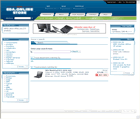
The search page is a very convenient and easy to use tool.
Initially there is only a search field and a go button to start the search.
Upon entering random text and start the search the system displays the result (if any)
as a list of departments and products which meet the search criteria.
The Search command searches across: the departments' names and their description,
the products' names and their description, the products' numbers and their properties'
values.
In the list of departments, found upon search, the departments' names are the links
to the departments' pages.
Upon finding the products which meet the search criteria there is an add button next
to every product in the product list so that it can be added in the basket. The name
of the product is the link to the product's page.
There is a search criteria field and a search button on every page of the website
so that it can be used anytime.
|