|
page 32 |
 |
» 6. Admin site » a) Products management
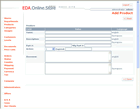
o New product [screen]
A table for entering product related data and links to Save and Cancel is displayed. There
is a backward button to the products list. Upon save the page is transformed to Edit page.
There are next possibilities for fast editing of checked products:
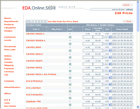
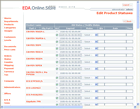
o Entering prices (bulk edit) [screen]
A list of the products which prices are to be entered is displayed. Next to every product
a field allows entering of prices. There is a Save prices button and a backward button to
the products list.
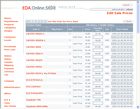
o Entering sale prices [screen]
Similar to entering prices.
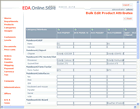
o Entering attributes [screen]
Similar to entering prices.
o Entering the product statuses [screen]
Similar to previous pages.
o Attach all products to the title department
All products from the list can be attached to their title department.
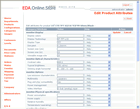
o Edit Attributes [screen]
Information on categories, attributes and their values (parameters) classified in
categories in displayed. All categories from the departments are listed. There is an
Enter/Edit field next to every attribute to edit its value and a field to select a
value from all entered values for that attribute and category within the department.
Links to Save and Cancel and a backward button to the products list.
This is the main page to enter new prices of products.
|