|
page 36 |
 |
» 6. Admin site » b) Management of Customers
- Levels
A page to manage the clients’ access levels. Assigning levels is needed in order
to offer the relevant price data to the clients of the e-commerce shop. Consists of
two dynamic pages - one containing the list of access levels and the second one - enabling editing.
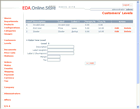
o List [screen]
A list of clients’ access levels is displayed. The first line is level “0” which in
fact strikes off the list a certain client (this level can not be subject of editing
or deleting). Levels from 1 to 3 follow. You can select how many levels of clients,
except for “0” level, the system shall support but there must be at least one level.
There are links to Edit and Delete functions next to every level (if the system
supports only one level except for the “0” level, the function Delete is not
displayed). Following the list there is a form of fields to enter data for a new
level and Add button.
o Edit
A page similar to the List page but only the table with the levels’ list is displayed
and the level’s related data subject of editing is transformed to an Edit field. Links
to Save and Cancel are displayed next to the level.
|