|
page 54 |
 |
» 6. Admin site » g) Other information
- our Clients
A page to enter and edit data on respected clients of the company, running the e-commerce
shop, which the company wants to present to its customers thus promoting its achievements.
This page allows classifying the clients by industry and entering and editing industries.
Consists of five dynamic pages - one displaying the list of clients, one for editing clients
and classifying them by industry, one for adding a new client, one displaying the list of
industries and entering a new industry and one for editing industries.
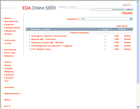
o Clients List [screen]
ТThis is the home page when start working with clients. Displays a list of all clients and
links to Edit and Delete functions are available next to every client. The name of the client
is the link to page Edit Clients. A search field enabling selection of an industrial branch is
displayed at the top of the page. Ahead of the search field there is a link to the page
containing the list of all industrial branches. Following is a link to the Add Client page
and the list of the clients.
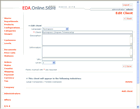
o Edit Clients [screen]
Fields to edit the clients are displayed on this page and a link to Save. Following is a
table containing the list of industrial branches in which the particular client is classified
and links to Delete function in order to delete the client from the particular industrial
branch. There is a search field on the last row of the table enabling selection of an
industrial branch with a link to the Add function in order to add a client to the selected
industrial branch. At the bottom of the page there is a link to page “Add Client” (to the
same industrial branch).
There is a backward button to the list of clients.
o Add a Client
A table of fields to enter data for the client is displayed on this page with a link to Save
function. There is a backward button to the list of clients. Upon saving the page transforms to
page Edit Clients.
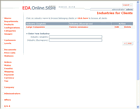
o List of Industries [screen]
Displays a list of all industrial branches and links to Edit and Delete functions are
available next to every industry. Following is a form of fields to enter data for a new
industrial branch and an Add button. The name of the industry in the list is the link to page
List of Clients of the selected industry.
o Edit Industries
A page similar to “List of Industries” page but only the table containing the list of
industries is displayed and the data related to the industry subject of editing is transformed
in edit fields. Next to the industry links to Save and Cancel are available.
|